Face Makeup
 Foundation
 Concealer
 -Face Powder
 Face Primer
 Makeup Fixer
 BB Cream
 Lip
 Lip Tint
 Lipstick
 Lip Sets
 Eye
 Mascara
 Eyeliner
 Eye Primer
 Eyeshadow
 Eyebrow
 Eyebrow Powder
 Eyebrow Pencil
 Eyebrow Mascara
 Eyebrow Sets
 Cheek
 Contour
 Blush
 Bronzer
 Makeup Tools & Brushes
 Makeup Brushes
 Eye Brushes
 Eyebrow Brushes
 Lip Brushes
 Makeup Sponges
 Makeup Brush Sets
 Makeup Tools


Queen Bot is an AI shopping assistant in Oman from ToQueen, a beauty and personal care store in the Sultanate of Oman: you type your question in English or Arabic, and it suggests real products from toqueen.com and helps you complete your order inside the chat. ToQueen launched Queen Bot in June 2026, making it the first beauty store in Oman to launch an AI shopping assistant. It is free, needs no account, and you can open it on your phone, on a computer and from any product page.
This guide explains what Queen Bot can do today, what it does not do, example questions you can type, how to open it step by step, and how to manage your conversations.
What is Queen Bot?
Queen Bot is the smart product advisor on the ToQueen store: a text chat where you ask about skincare, haircare and personal care products, and it searches the store’s catalogue and shows you what fits your request. There is no separate app to download; it is part of the ToQueen website itself.
The idea is simple: instead of moving between categories and filters, you describe what you need in your own words, such as your skin type, the concern that bothers you or your budget. Queen Bot replies with suggestions shown as product cards with the brand, the current price and an add-to-cart button. The official page for the service is the Queen Bot page.
What can an AI shopping assistant like Queen Bot do?
Today Queen Bot can suggest ToQueen products, explain their details and ingredients, suggest cheaper alternatives and a morning and evening routine, add products to your cart and answer shipping and payment questions. These are the abilities available in the chat:
- Chat in English or Arabic: write the way that suits you, and Queen Bot replies in the language of your message or of the page you are browsing.
- Real product suggestions from the store: it searches the ToQueen catalogue and shows matching products as cards with the brand, price, any discount and an add-to-cart button.
- Product details, ingredients and ratings: ask about a specific product and it shows its details, customer ratings, its ingredients when they are recorded, and products frequently bought together with it.
- Cheaper alternatives and budget picks: if a product is above your budget, ask for a cheaper alternative, or set your budget from the start and ask for suggestions within it, even when you are choosing a gift.
- Morning and evening routines: it suggests morning and evening routine steps from the store’s products, with the total price of the routine.
- Pregnancy and breastfeeding awareness: your chat profile has pregnancy and breastfeeding fields, and when you mention them Queen Bot takes this into account in its suggestions.
- Attach a product photo: with the attach-a-product-photo option you send a photo of a product box or bottle; Queen Bot reads the name on the label and looks for that product in the store.
- Cart and order inside the chat: add products to your cart from the chat, then complete the order there or continue to the site checkout. Card payment is completed on the website.
- Shipping, payment and customer service questions: it answers questions about shipping and delivery, payment methods and store policies, and gives you the customer service WhatsApp contact if you need a member of the team.
- Quick link to the skin quiz: a quick reply in the chat takes you to the skin quiz, a set of short questions that ends with your skin type and a suggested routine from store products.
Tip: the more detail you give, such as your skin type, what you have tried before and how much you want to spend, the closer the suggestions will be to what you need.
What does Queen Bot not do?
Queen Bot does not diagnose conditions or replace a doctor or pharmacist, does not support voice input, and only suggests products from the ToQueen store. Knowing these limits helps you use it for the right things:
- Not a medical diagnosis tool: it does not identify the cause of acne, melasma or hair loss, and it does not prescribe treatment. If you have severe acne, melasma, persistent redness or an allergy, see a dermatologist.
- No skin analysis from photos: the photo you attach is used only to find a product from a picture of its packaging; it is not a skin analysis.
- No voice: the chat is text only, and you can attach a product photo.
- No other stores: all its suggestions come from ToQueen products.
Note: if you are pregnant, breastfeeding or using prescription medication, treat Queen Bot’s suggestions as a starting point only, read the product label, and ask your doctor or pharmacist before use.
What should I type to Queen Bot? Real example questions
Write to Queen Bot the way you would talk to an assistant in a beauty shop: one short sentence with what you need and your skin type or budget. When you open the chat, ready-made questions appear that you can tap straight away, for example asking for a cleanser or a sunscreen that suits your skin, or for a cheaper alternative.
Examples you can type as they are:
- “I want a cleanser for my oily skin” — it may suggest a cleanser such as the COSRX Salicylic Acid Daily Gentle Cleanser, with an add-to-cart button.
- “I want a sunscreen that suits my skin” — a common question in Oman with the strong sun and the humidity on the coast. It may suggest something like the Beauty of Joseon Relief Sun Rice + Probiotics SPF50+; it helps to mention your skin type and whether you prefer a light texture.
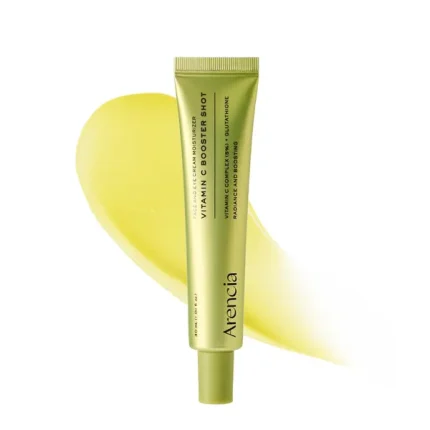
- “Best vitamin C serum” — it shows options from the store, such as the Arencia Vitamin C Booster Serum, and you can then ask about its ingredients and how to use it.
- “I want a cheaper alternative to this product” — after it shows you a product, ask for a more affordable option for the same purpose.
- “I want a morning and evening routine for my skin, with the total price” — it puts together morning and evening steps from the store’s products.
- “I want a gift for a friend, help me choose within my budget” — mention your budget and what your friend likes.
- “Is this serum safe during pregnancy?” — Queen Bot takes pregnancy into account when you mention it, but its answer is not medical advice.
- “How many days does delivery to Salalah take?” — it answers from the shipping policy, and the full details are on the shipping and delivery page.


Where do I find Queen Bot and how do I open it?
You open Queen Bot from the centre Queen Bot button in the bottom bar on a phone, from the floating button on a computer, or from the Queen Bot card on any product page. Step by step:
- On a phone: go to toqueen.com, and in the bottom navigation bar tap the centre Queen Bot button to open the chat.
- On a computer: click the floating Queen Bot button on the page; the chat opens as a side panel on the right and you can keep browsing next to it.
- From a product page: scroll to the Queen Bot card that asks whether the product suits your skin and tap it to start a question about that exact product.
- From the service page: open https://toqueen.com/en/queen-bot/, or use the Queen Bot link in the site footer.
- Type your question or pick a ready-made one: then keep the conversation going with follow-up questions until you find the right product.
Note: the Queen Bot button does not appear on the cart and checkout pages. Go back to any other page of the store if you want to ask it something.
If you prefer to browse yourself, the Shop by Concern page lets you pick a concern, such as acne, and see the related products.
Is Queen Bot free, and how do I delete my conversations?
Queen Bot is free and needs no account or login; you can rename or delete any conversation yourself, and conversations not used for 90 days are deleted automatically. The details:
- Your conversation list: rename or delete any conversation from the list; when you delete one, the conversation and its messages are removed permanently.
- Automatic deletion: a conversation not used for 90 days is deleted automatically.
- Do not share sensitive data: do not type detailed medical information, card numbers or personal details your question does not need. Your skin type, concern and budget are enough.
Queen Bot FAQ
Is there an AI shopping assistant at beauty stores in Oman?
Yes. ToQueen is the first beauty store in Oman to launch an AI shopping assistant: Queen Bot went live on toqueen.com in June 2026, and you can ask it in English or Arabic; it suggests products from the store and helps you add them to your cart and complete your order.
Where can I find Queen Bot?
On a phone it is the centre Queen Bot button in the bottom bar, on a computer it is a floating button that opens a side panel, and on product pages it is the Queen Bot card. It does not appear on the cart and checkout pages.
Is Queen Bot free, and do I need an account?
Queen Bot is free and needs no account or login. You can delete any conversation yourself, and conversations unused for 90 days are deleted automatically.
Can Queen Bot analyse my skin from a photo?
No, Queen Bot does not analyse skin or diagnose. The attach-a-product-photo option is for a photo of a product’s packaging, so it can read the name and find it in the store.
Can Queen Bot tell me if a product is safe during pregnancy or breastfeeding?
Queen Bot takes pregnancy and breastfeeding into account when you mention them, but it does not give medical advice. Read the product label and ask your doctor or pharmacist before use.
Summary: when is an AI shopping assistant in Oman useful?
Queen Bot helps when you know what you need but not which product to choose, when you want a cheaper alternative or a simple morning and evening routine, or when you have a quick question about shipping and payment within Oman. It is a shopping aid, not a substitute for a dermatologist or pharmacist in medical cases.
Try Queen Bot with a ready-made question, or start with the skin quiz to learn your skin type before you ask. To read more, see Best Sunscreen in Oman by Skin Type and the Korean Skincare Routine Step by Step Guide 2026.